Get Cyréna

Download Cyréna

Desktop or HUD — same capabilities, different interaction. Choose your setup.

Cyréna Desktop

Offline-first. Model-agnostic. Traditional windowed interface.

Chat, extensions, coding tools, and all platform capabilities in a traditional windowed interface. Runs entirely on your machine with optional cloud model connections.

Windows
x64 ~50 MB
Download
ARM64 ~50 MB
Download
Linux
x64 ~50 MB
Download
ARM64 ~50 MB
Download
macOS
Apple Silicon / Intel ~50 MB
Windows SmartScreen warning during alpha. While Cyréna is in alpha, Windows may show a SmartScreen or Defender warning when running the installer. This is expected for unsigned applications — click More infoRun anyway to proceed.

System Requirements

8 GB RAM minimum
500 MB free disk space
libwebkit2gtk-4.1-0 (Linux only)
Ollama (optional, for local models)
Local models need more resources. Running AI models locally (via Ollama) requires additional RAM and VRAM depending on model size — typically 4–16 GB extra. Cloud models like OpenAI have no extra requirements beyond the base 8 GB.

Cyréna HUD

A Heads Up Display that keeps Cyréna always within reach.
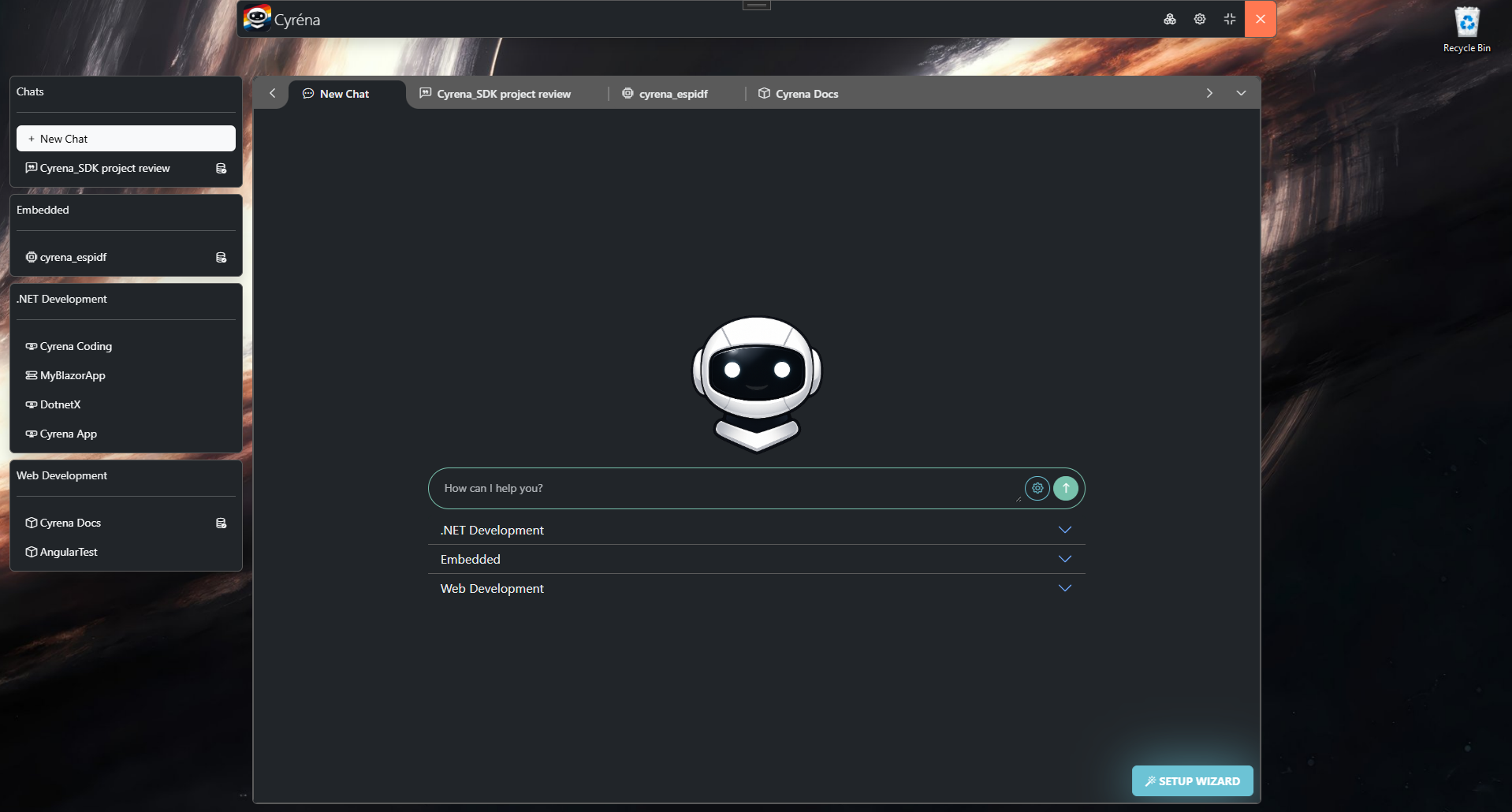
Cyréna HUD overlay screenshot showing the compact interface floating above a workspace
Configurable Hotkey Hide / Show Overlay Background Mode

A lightweight overlay that floats above your workspace for quick access to Cyréna without leaving your current window. All your chats, extensions, and AI capabilities in a compact UI. Configurable hotkey to show and hide — runs in the background, out of your way. Windows only.

Windows
Only
x64 ~210 MB
Download
Windows SmartScreen warning during alpha. While Cyréna is in alpha, Windows may show a SmartScreen or Defender warning when running the installer. This is expected for unsigned applications — click More infoRun anyway to proceed.

Requirements

  • 8 GB RAM minimum
Local models need more resources. Running AI models locally (via Ollama) requires additional RAM and VRAM depending on model size — typically 4–16 GB extra. Cloud models like OpenAI have no extra requirements beyond the base 8 GB.

macOS Support

macOS builds are not yet available. We don't currently have access to Mac hardware for compilation and testing. If you're a Mac user and want to help, reach out — or watch this space.

Coming Soon

All Releases on GitHub

Prefer to build from source? Want an older version? Every release is on GitHub.

View Releases

Ready to get started?

Once installed, check out the Getting Started guide to configure your first connection.

Getting Started Guide